Appliance stopped, left on, or power out? OzPlug calls your phone · $24.95 with a year of alerts included
The smart plug that calls you

Smart plug.
It calls you when it matters.

Whatever you plug in, a freezer, a sump pump, a space heater, OzPlug watches its power. If it stops, runs too hard, or loses power, your phone rings. Real energy monitoring and schedules that follow the sun, the rain and the air. No app to install, no account to create.

Comes with a year of call and text alerts, a $24.95 value, so the plug itself is free · Set up from any phone or computer browser · English or Spanish

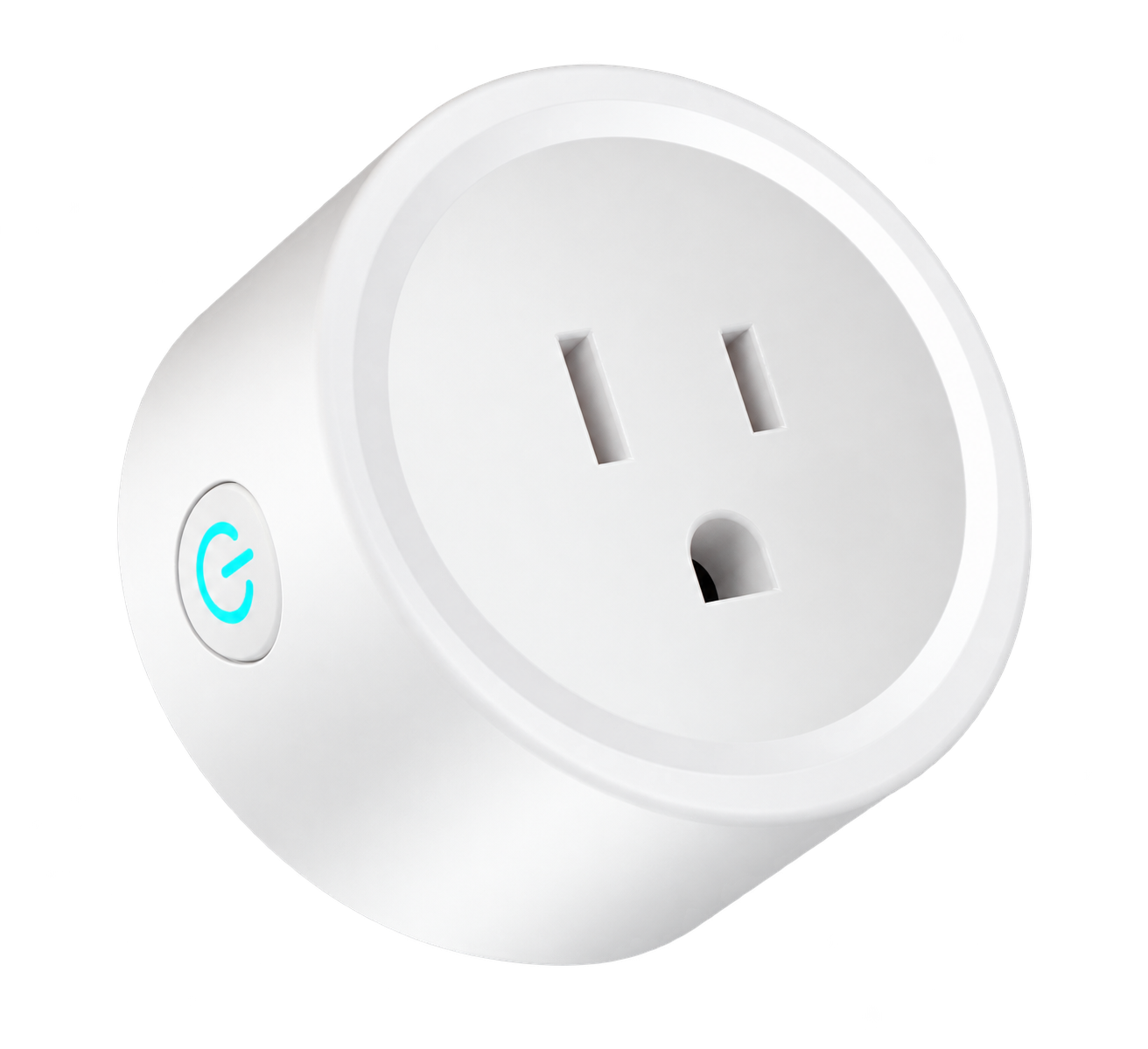
OzPlug smart plug
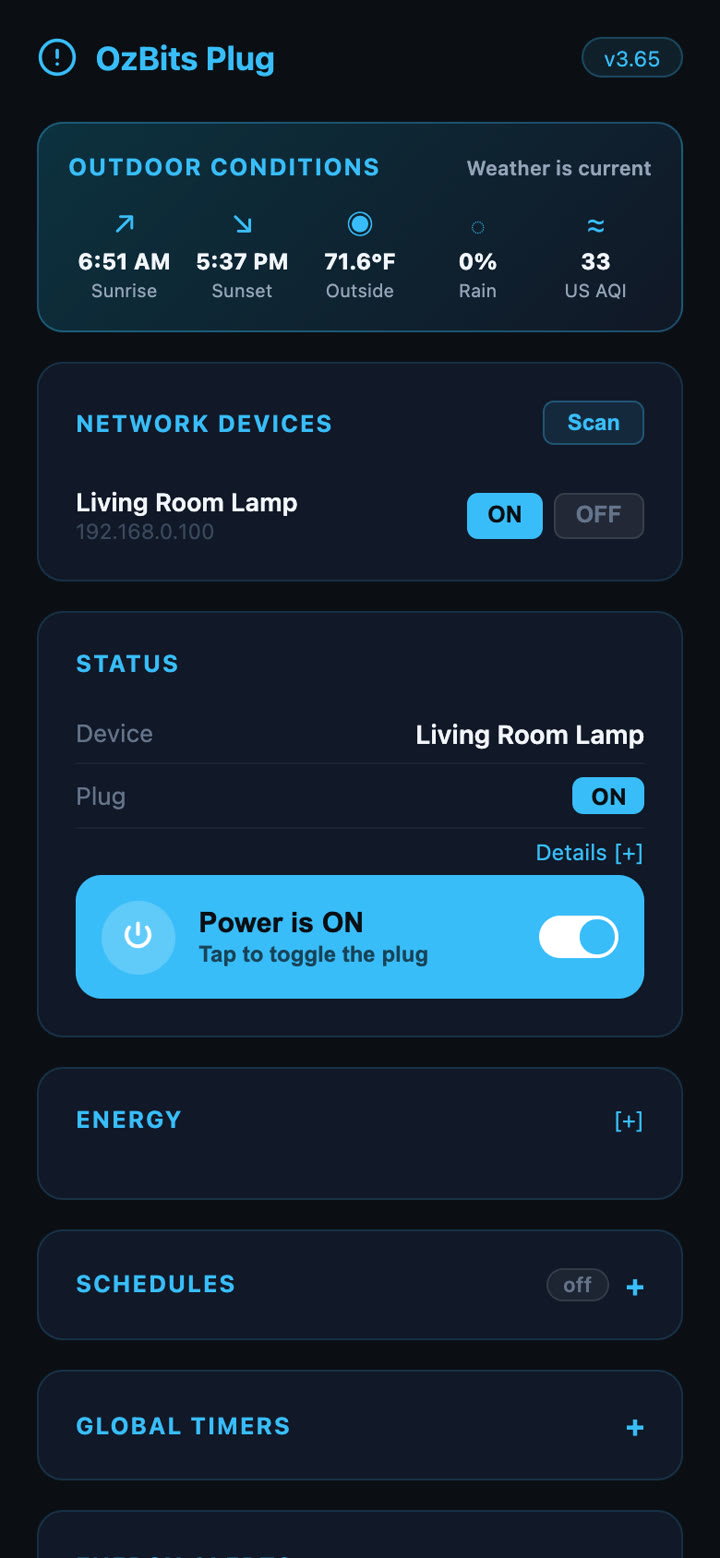
OzPlug dashboard on a phone: weather, network devices and power status
Calls youAnything stops, runs too hard, or loses power
No app to installRuns in your browser. No account, no password
Live energyWatts and kWh, today and total
Weather-smartSunset, rain, air quality, temperature
It calls you

Your appliances can’t call you. OzPlug can.

You usually find out something quit too late: the freezer when the food is ruined, the sump pump when the basement is wet, the heater when the room is cold, or that it never shut off when the bill comes. If it plugs into an outlet, OzPlug watches its power and calls or texts your phone first.

INCOMING CALL · OZBITS

“Your Oz Plug, Garage Freezer, stopped checking in at 2:14 AM. It may have lost power or internet.”

  • Call, text, or both. Your choice, per plug.
  • Set it in the OzBits app or the plug’s own page: a phone number and your limits.
  • Calls make sure you heard: press 1 to confirm, or it calls again.
  • Alerts keep retrying until they reach you.
  • Calls and texts in English or Spanish, at your local time.
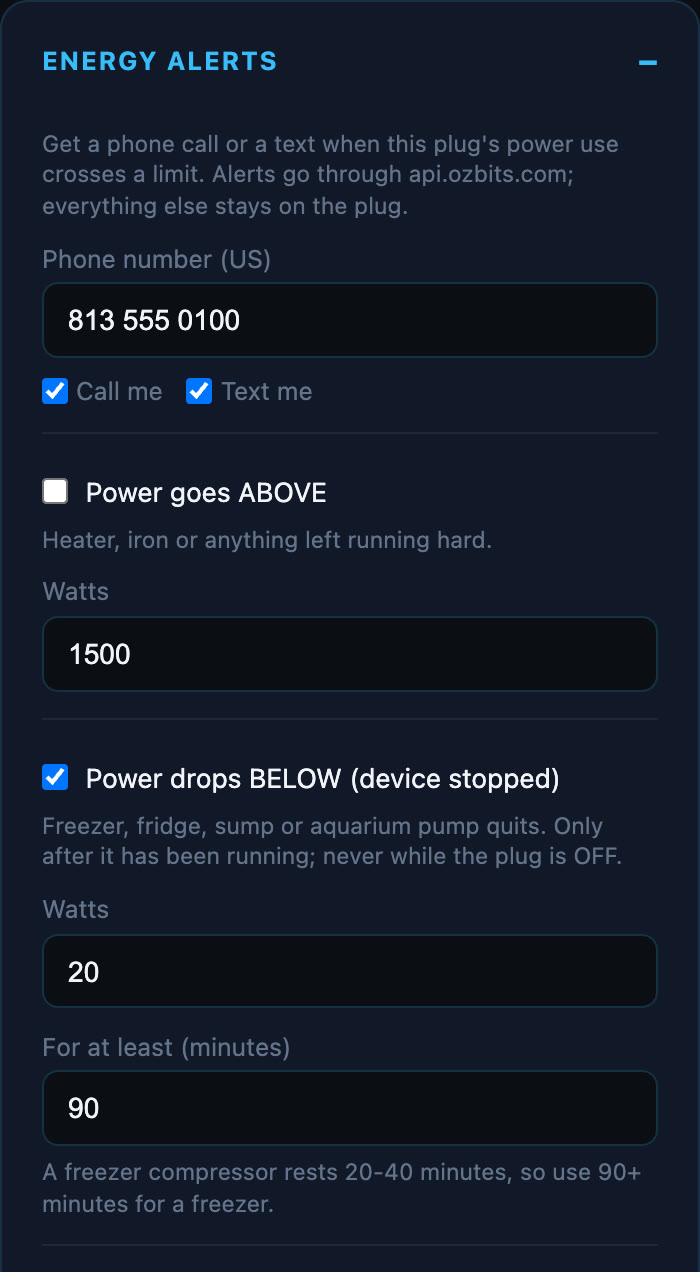
Energy Alerts settings: call and text, power drops below 20 watts for 90 minutes

The real alert settings, on the plug

Power lost

Breaker tripped or power out

A plug with no power can’t call anyone, so the OzBits alert service watches for it. Your plug checks in every 5 minutes. If it goes silent, you get a call or text within about 7 minutes, and another text when it’s back, with how long it was out.

Stopped

Your appliance quit

The power is there, but the appliance stopped using it. You pick the watts and the minutes.

  • Freezer or fridge
  • Sump, well, pond or aquarium pump
  • Heater for pets, plants, pipes or a greenhouse
  • Server, router, CPAP or anything that must stay on
Left on

Something running too hard

A space heater, iron, hair tool, dehumidifier or anything else using more watts than your limit, or a daily energy budget going over.

Power out? You still get the call.

Tick one box. The plug checks in quietly every 5 minutes, and the OzBits alert service rings you within about 7 minutes if it stops. It works even when your whole home is offline, because our server is the one watching. Only your phone number and the plug’s name go to the alert service; schedules and switching stay on the plug.

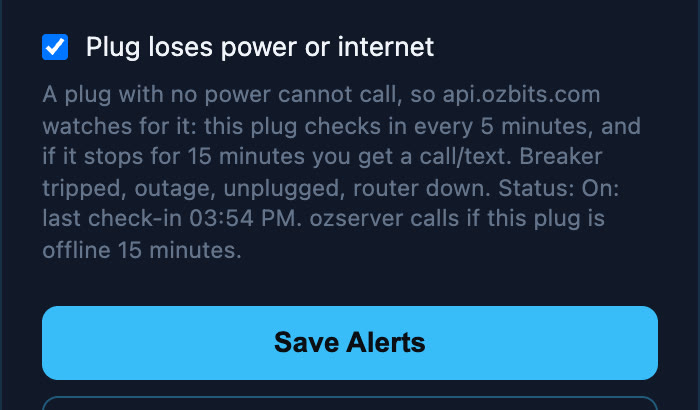
Plug loses power or internet: checked, with the last check-in time
The plug is free

A year of alerts is $24.95, and the plug comes with it

Every OzPlug includes 12 months of calls and texts: power or internet loss, back online, too much power, stopped using power and the daily energy limit. The year starts when you set up alerts, not when the plug was made.

Optional

Keep alerts for $24.95 a year

You don’t need the alert service to use the plug. It adds phone calls and texts on top of everything the plug already does. Want them after the first year? $24.95 a year per plug, renewed in the OzBits app, with a reminder 15 days before it ends.

Your plug keeps working

If you don’t renew

Only the calls and texts stop. On and off, schedules, timers, energy readings and the app keep working. Renew any time and alerts come right back.

Set up in two minutes

Nothing to download.

No app store and no account to make. The OzBits app runs in your phone’s browser, and every OzPlug also has its own web page.

1
Plug it in.
The light blinks: it’s ready to set up.
2
Scan the “New to OzBits?” sticker.
The OzBits app opens in your browser and walks you through adding the plug, one step per screen.
3
Join the plug’s Wi-Fi.
From your phone’s Wi-Fi list, or scan the “Plug Wi-Fi” sticker.
4
Pick your Wi-Fi and tap Connect.
Add your ZIP code and cell phone for weather and alerts. The plug shows up in the app, ready to name.

Adding another plug later is even faster: a plug you already own can hand your Wi-Fi to the new one. The setup Wi-Fi turns itself off once the plug is on your network.

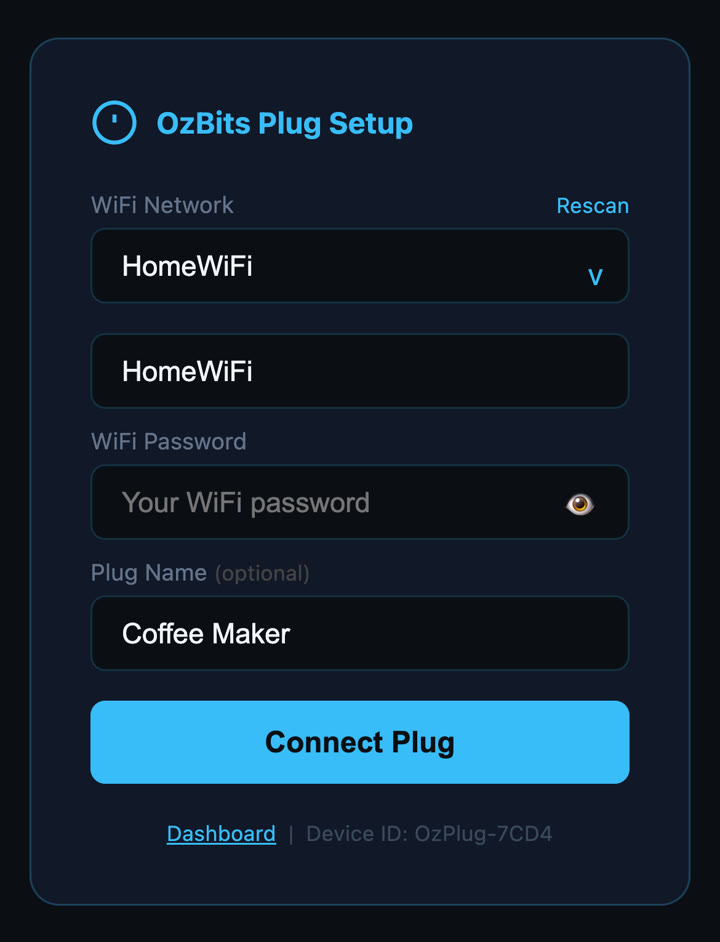
OzPlug Wi-Fi setup page
The OzBits app

Every plug, at home or away.

Open app.ozbits.com in any browser and add it to your home screen if you like. It looks and works like a phone app, without an app store.

Sign in

Face ID or fingerprint

No email and no password. Your phone’s passkey is your sign-in, and it moves with you to a new phone.

Anywhere

Switch and set up from away

Turn plugs on and off and open each plug’s own settings from anywhere, over a secure connection. At home, it talks to the plug directly.

One tap

“What did you plug in?”

Pick lights, lamp, coffee maker, heater, freezer or aquarium, and the plug gets sensible schedules and alerts for it.

Family

Share your home

Invite family with a link or QR code, so everyone controls the same plugs.

Notifications

Alerts on your phone

Phone notifications next to the calls and texts. On iPhone, add the app to your Home Screen to get them.

More than plugs

OzBits Guardians too

Stove Guardian and Water Guardian show up in the same app, next to your plugs.

The app is optional. Every plug still works from its own page in any browser on your Wi-Fi.

Schedules that read the sky

It knows today’s sunrise, sunset, weather and air.

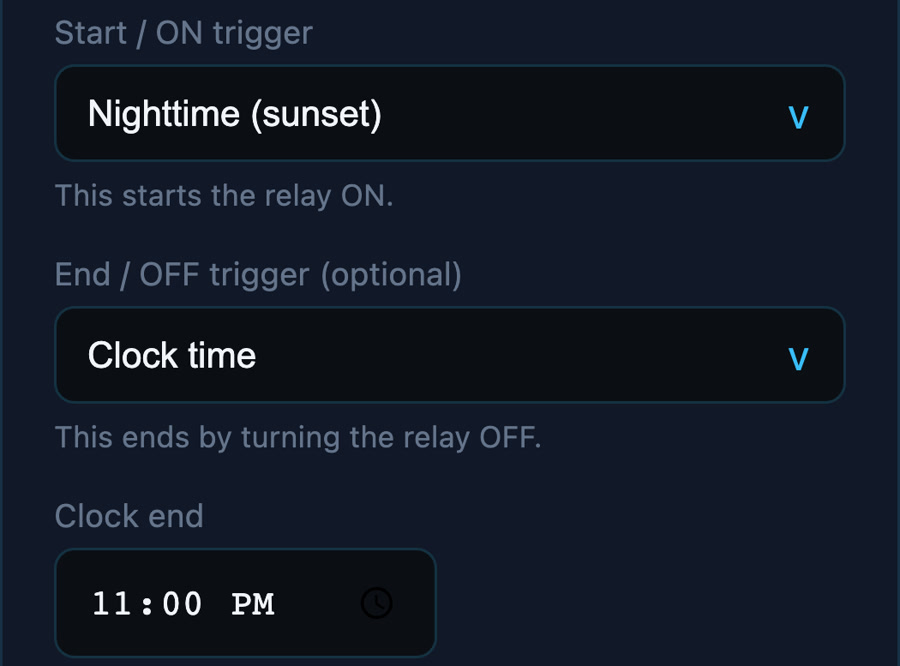
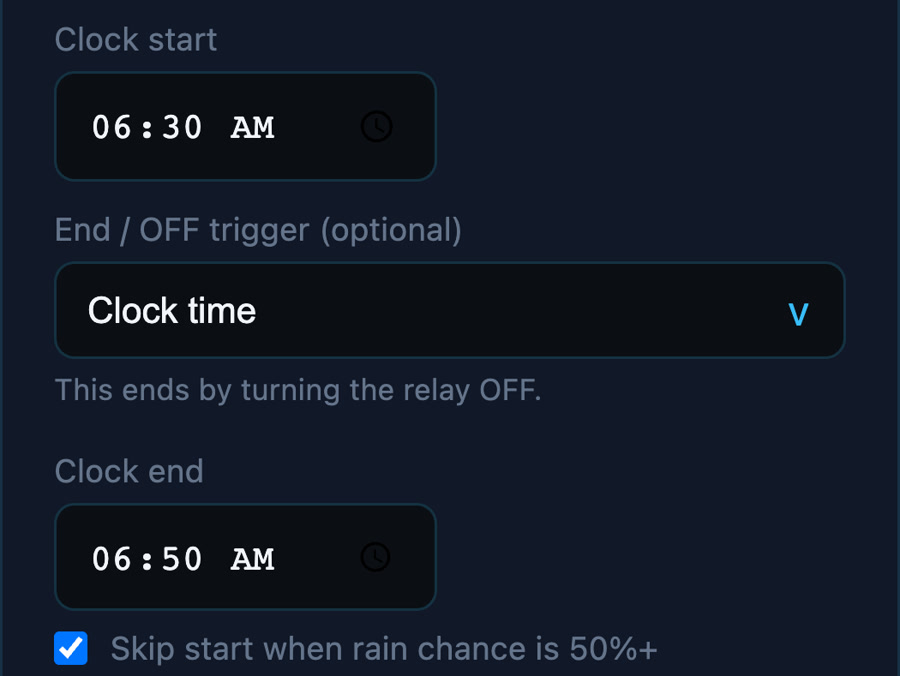
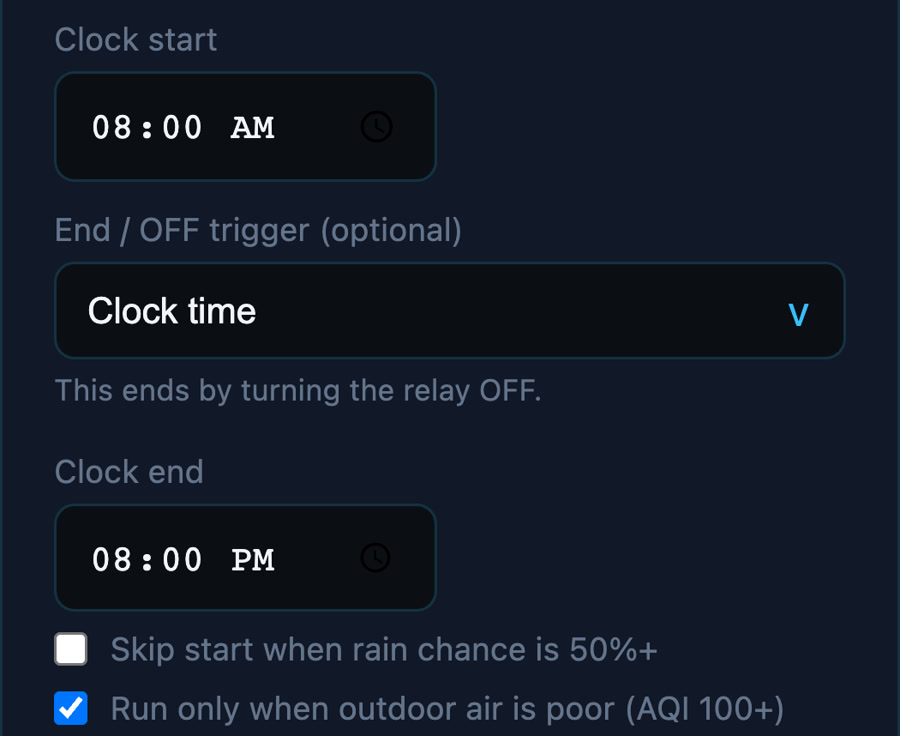
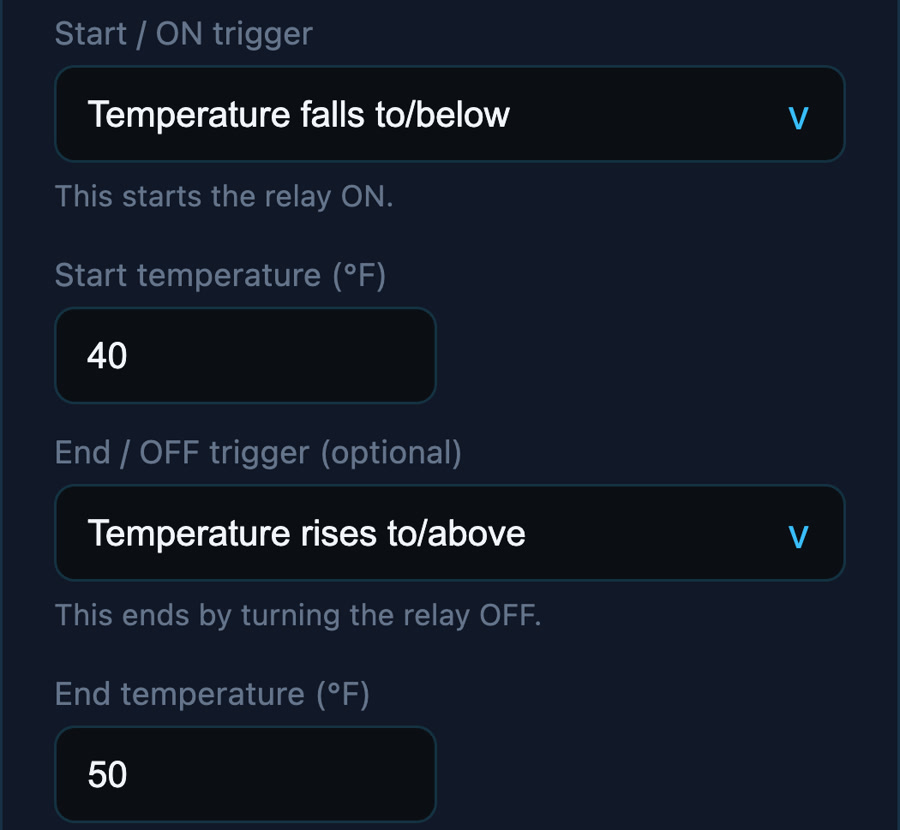
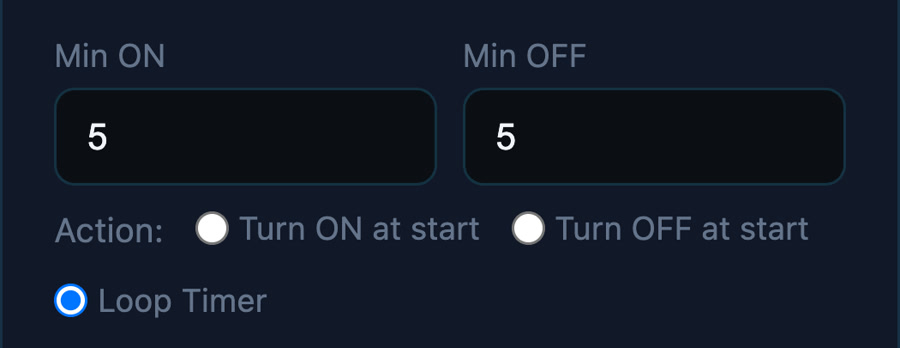
Every OzPlug shows the outdoor conditions where you live, and its schedules can use them. Start or end a schedule at a clock time, sunrise or sunset, or when the temperature, air quality or chance of rain crosses the number you pick. No hub, no extra service.

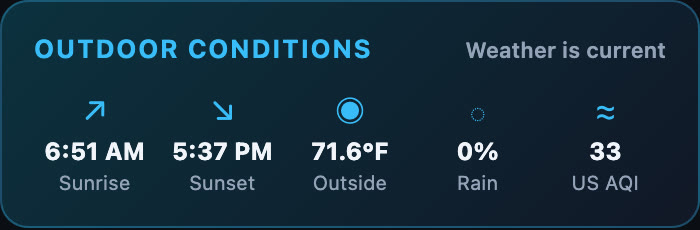
Outdoor conditions: sunrise, sunset, temperature, rain chance, air quality

Up to 5 schedules per plug, on any days of the week, plus auto-off and auto-on timers.

See every watt

Know what everything really uses.

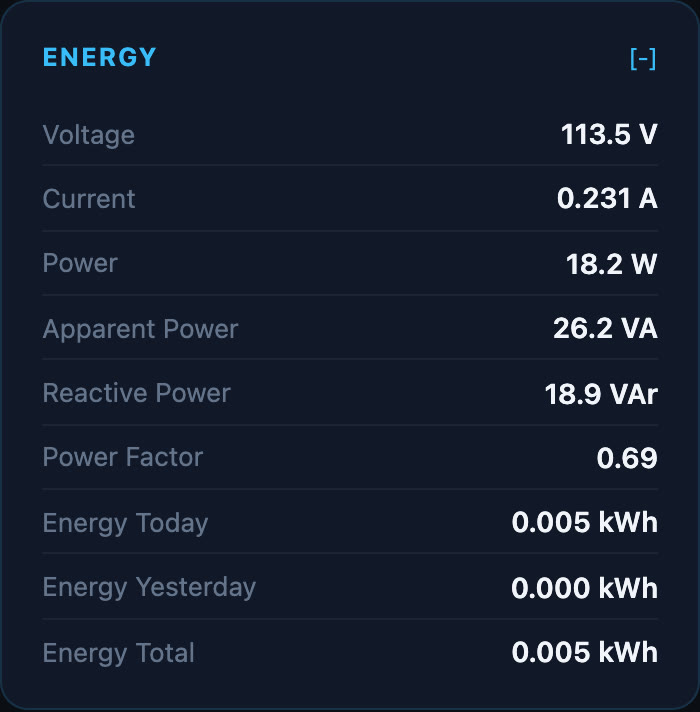
Live watts, volts and amps, plus the energy used today, yesterday and in total. Find the energy hogs, and set an alert when something uses too much.

  • Updates live while you watch
  • Daily totals reset at your local midnight
  • Daily kWh budget alert, optional
Energy card: voltage, current, power and energy today, yesterday and total
Every plug, one screen

Open any plug. Switch them all.

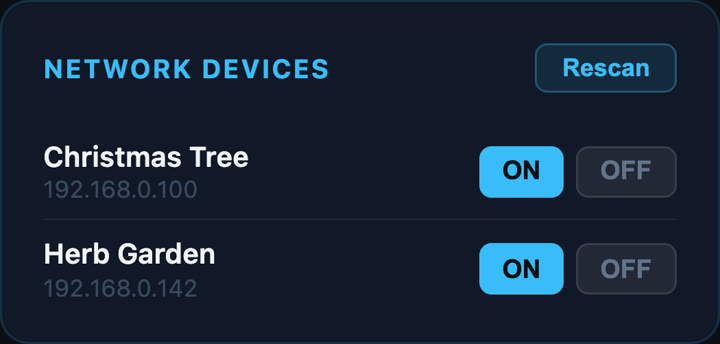
Every OzPlug finds the others on your Wi-Fi. Open any one of them and control every plug in your home from the same page. Or open the OzBits app and see them all from anywhere.

Network devices: Christmas Tree and Herb Garden, with on and off buttons
Yours, not the cloud’s

No account. Nobody watching.

Switching, schedules and timers run inside the plug, on your own Wi-Fi. They keep working if the internet goes down.*

* Without internet, switching, timers and clock-time schedules keep running on the plug. Weather, air quality, rain and sunrise/sunset updates, and call and text alerts need internet. If your internet goes out, the OzBits alert service notices the plug went silent and calls or texts you within about 7 minutes (with “Plug loses power or internet” turned on).

  • No app to install and no account to create
  • Works from any browser, on your phone or PC
  • Optional local Alexa control, with no cloud skill
  • Home Assistant and MQTT, optional
  • Switch log: see what turned it on or off, and when
  • Pages, calls and texts in English or Spanish, following your phone
  • Updates itself automatically and stays on through updates
  • Alerts are optional; only your phone number and the plug’s name go to the alert service
How it compares

More than a timer with an app.

OzPlugTypical smart plug
Calls you if the power goes outYesNo
Calls you if any appliance stops or runs too hardYesNo
App to installNone, any browserRequired
Account sign-upNoneRequired
Live energy monitoringWatts, kWh today, yesterday, totalSome models
Weather, rain and air-quality schedulesBuilt inNo
Sunrise and sunset schedulesBuilt inSome models
Keeps working without internet*YesUsually not
Every plug from any plug’s screenYesOnly in their app
Control from awayYes, in your browserIn their app
English and SpanishPages, calls and textsVaries
Phone call and text alertsFirst year free, then optional $24.95/yrNot offered

* Without internet, switching, timers and clock-time schedules keep running on the plug. Weather, air quality, rain and sunrise/sunset updates, and call and text alerts need internet. If your internet goes out, the OzBits alert service notices the plug went silent and calls or texts you within about 7 minutes (with “Plug loses power or internet” turned on).

OzPlug

Peace of mind for $24.95.

Plug it in, scan the sticker, and let it watch over the things that matter. It comes with a year of call and text alerts, a $24.95 value, so the plug is free.

Buy OzPlug, $24.95 →